Learn · Claude Code
Claude Code skills, and how to import a whole library at once
Skills are how you stop re-explaining the same procedure to Claude Code every session. Here’s what they are, where they live, and how to load an entire library in one pass instead of pasting them one at a time.
A Claude Code skill is a reusable SKILL.md file — frontmatter plus instructions — that teaches the agent one capability (a review checklist, a deploy routine, your house style). The agent loads it when a task matches. To add many at once instead of one by one, The Termi Protocol imports every SKILL.md in a folder, or copies them straight from another agent.
What Claude Code skills actually are
A skill is a small, self-contained instruction file — a SKILL.md with a name, a short description of when to use it, and the steps to follow. Think of it as a playbook the agent reaches for on demand: “how we write commit messages”, “the checklist before opening a PR”, “how to cut a release”. When a task matches the description, Claude Code pulls the skill in and follows it, so you don’t re-explain the same procedure every time.
Because a skill is just markdown, it’s portable. People share them as GitHub repos, gists and npm packages, and whole libraries of them have appeared. That portability is also the problem this page solves: once you have thirty useful skills, adding them one at a time gets old fast.
Where skills live
Skills sit alongside your setup as plain files — personal ones in your home config, project ones inside the repository so the whole team shares them. Each is a folder or file with a SKILL.md inside. Keeping them in the repo means they travel with the code and stay in version control.
Adding a single skill
Normally you add a skill by dropping its file in the right place, or by pasting its contents into your tool’s skill UI. That’s fine for one. It does not scale to a library you’ve collected from a folder, a starter repo, or an agent you already tuned.
Importing a whole library at once
This was one of the most-requested additions from early users — “would be nice to import all existing ones from a specific directory or agent.” So The Termi Protocol extended its skill picker with two bulk sources:
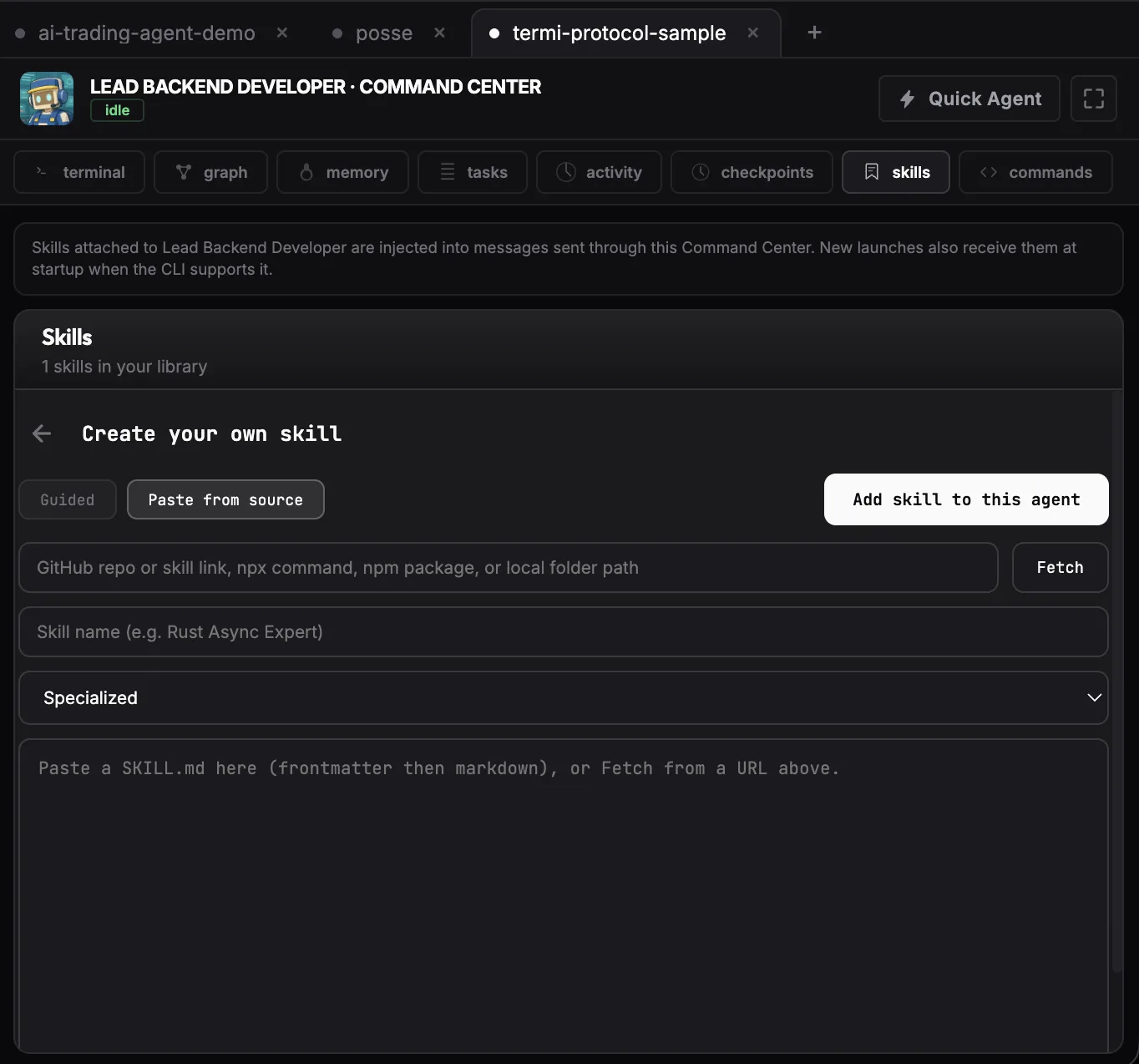
- From a folder or file. Point it at a local directory and it discovers every
SKILL.mdinside, de-duplicates them and adds them in one pass. Discovery runs sandboxed — it follows no symlinks and skipsnode_modules. - From another agent. Copy skills straight from an agent you’ve already set up, so a fresh agent inherits your whole library without re-pasting.
It works in all eleven interface languages, and you can see the before/after on the fixes page.
Download The Termi Protocol Run multiple agents
Skills vs. agents vs. plugins
An agent is the worker: a running Claude Code, Codex or Gemini CLI session doing tasks. A skill is knowledge you attach to it — a reusable instruction file the agent pulls in when relevant. One agent can carry many skills. Plugins and marketplaces are just distribution channels for skills and related config; the unit of reuse is still the humble SKILL.md.
FAQ
What are Claude Code skills?
A reusable SKILL.md file — frontmatter plus markdown instructions — that teaches the agent a specific capability, like a code-review checklist or a deploy routine. When a task matches, the agent loads the skill and follows it.
Where are Claude Code skills stored?
As markdown files alongside your setup: personal skills in your home config, project skills inside the repo. Each is a folder or file containing a SKILL.md with a name, a when-to-use description, and the instructions.
How do I import multiple skills at once?
Point The Termi Protocol’s skill picker at a local folder or file; it discovers every SKILL.md inside, de-duplicates and adds them in one pass, sandboxed.
Can I copy skills from another agent?
Yes — the picker’s From-agent tab copies skills straight from an agent you’ve already set up, so a new agent inherits your library.
What’s the difference between a skill and an agent?
The agent is the worker; the skill is knowledge attached to it. One agent can carry many skills.