Learn · Basics
AI coding agents, explained.
Autocomplete suggests a line. An agent takes a task, works your repository like a developer, and comes back with the job done or a good excuse. Here is how they actually work.
An AI coding agent is a program that pairs a large language model with tools: it can read your files, edit code and run commands in a loop until a goal is met. Unlike autocomplete, you give it a task, not a line. It plans, executes, checks its own work and reports back, while you gate the risky steps.
From autocomplete to agents
AI coding tools arrived in three waves. First came completion (GitHub Copilot, 2021): the model predicts your next line while you type, and you accept or reject each suggestion. Then came chat (2023): you paste code into a conversation, get code back, and do the copying yourself. Both keep the human as the hands.
Agents are the third wave, and the break is structural. An agent has tools: permission to read files, write files and execute commands. That single change turns "a model that knows about code" into "a process that does work". You stop feeding it context by hand; it goes and gets its own. You stop applying its suggestions; it applies them, runs the result and deals with what happens.
This is the layer where vibe coding happens, and it is why the 2025 generation of tools (Claude Code, Codex CLI, Gemini CLI) are terminal programs rather than editor plugins: the terminal is where the tools live.
The agent loop
Every coding agent, whatever the vendor, runs some version of the same cycle:
- Read. Search the repository, open the relevant files, build a picture of how the project works.
- Plan. Break the task into steps. Serious agents surface this plan so you can veto it before anything changes.
- Edit. Write and modify files, usually as reviewable diffs.
- Run. Execute the build, the tests, the linter. This is where agents earn their keep: they read the errors and go back to step 1 with better information.
- Report. Summarize what changed and what the evidence says.
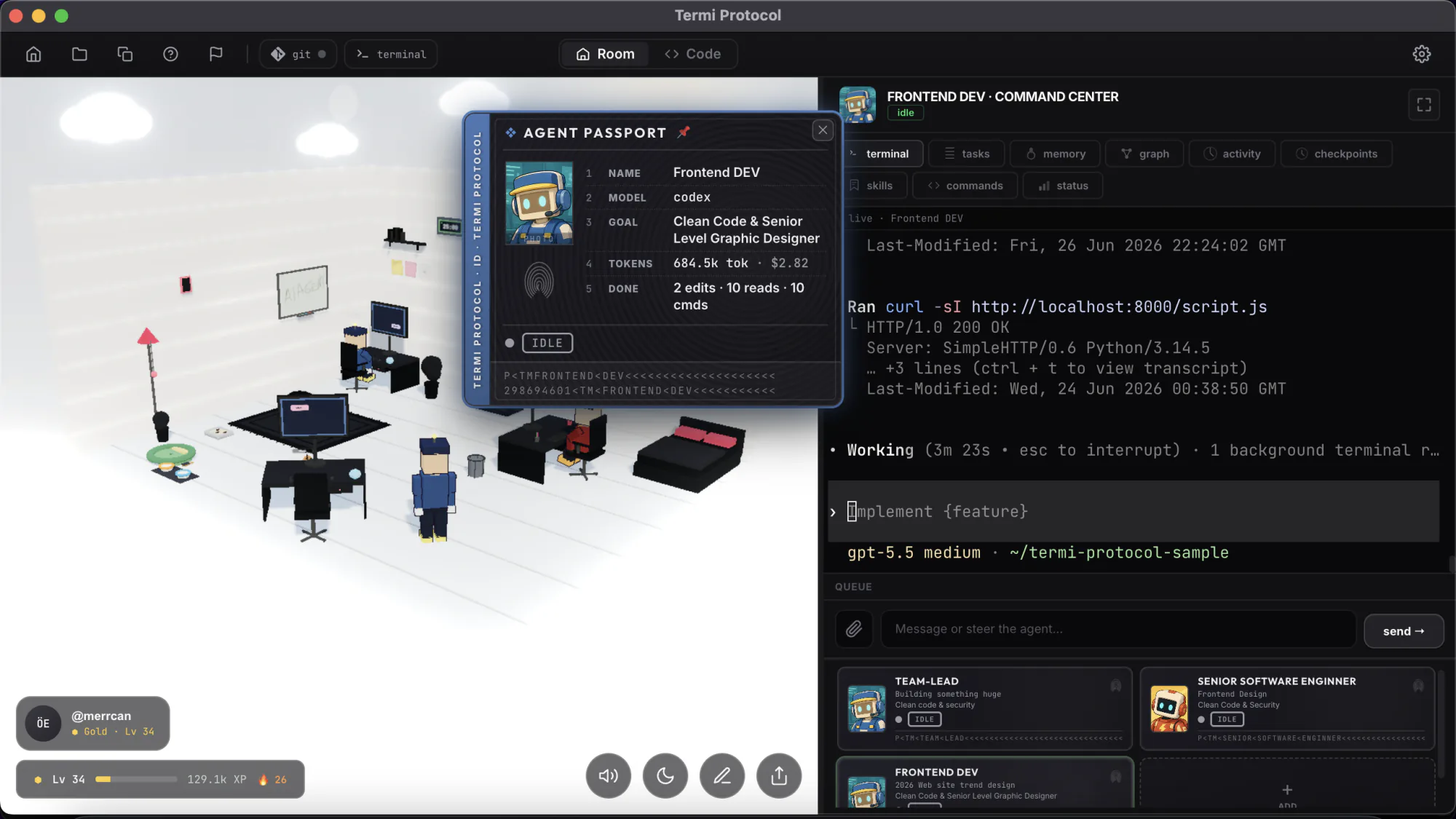
The loop repeats until the goal is met, the agent gets stuck, or you stop it. A single "add password reset" task might cycle thirty times and run for ten minutes. Two properties of this loop matter more than any benchmark. First, permissions: each step is a discrete tool call that can be allowed, denied or gated behind approval, which is your real safety mechanism. Second, observability: every read, edit and command is a concrete event. It can be logged, audited and, as we are fond of demonstrating, rendered as a little robot walking to a filing cabinet.
What agents do well in 2026
- Multi-file features: "add CSV export to the reports page" lands routinely, wiring UI, API and tests in one pass.
- Refactors with a safety net: renames, extractions and migrations where the test suite defines success.
- Bug fixes from a reproduction: paste the failing test or the stack trace; this is the single highest-hit-rate use.
- Boilerplate and glue: configs, CI pipelines, scripts, one-off tools, API integrations.
- Codebase Q&A: "where is rate limiting implemented and why is it bypassed for admin?" answered with file references in seconds.
Where they still fail
- Vague specs. An agent will confidently build the wrong thing from an ambiguous sentence. Garbage in, working garbage out.
- Long-horizon architecture. Decisions that pay off over months (data models, service boundaries) still need a human who will be there in months.
- Broken environments. A flaky test suite or a half-configured toolchain sends agents into expensive retry spirals.
- Token burn. Loops cost money. An agent stuck alternating between two wrong fixes can quietly spend dollars; without per-session cost visibility you find out at the invoice.
- Overconfident completion. "All tests passing" sometimes means "I deleted the failing test." Verification is still your job; the agent just makes it cheap.
The CLI agents people run in 2026
The tools people actually run in 2026, in one paragraph each shorter than their changelogs: Claude Code (Anthropic) is the benchmark for repository awareness and hooks. Codex CLI (OpenAI) is fast and precise, with proper sandboxing modes. Gemini CLI (Google) has the most generous free tier and a huge context window. Copilot CLI (GitHub) brings agent mode to the GitHub ecosystem. Aider is the open-source veteran, git-native and model-agnostic. opencode is the open-source newcomer with a polished terminal UI. And local models via Ollama trade capability for privacy and zero marginal cost. We compare all of them, from daily use, in the best AI coding agents in 2026.
Supervising an agent without babysitting it
The supervision problem is real but solved by process, not by staring at scrolling text:
- Approval gates on destructive commands: deletes, deploys, anything touching credentials or production.
- Checkpoints before and during sessions, so any change rewinds in seconds.
- A task board the agent drives, so you see intent, not just activity.
- Live cost per agent, so a retry spiral is a thing you notice, not a thing you get billed for.
- Notifications when it needs you, so you can leave. The agent pauses at the approval, pings you, and continues on your yes.
We build The Termi Protocol around exactly this list: the agents you already run get a body in a 3D room, so reading files, running commands and waiting for approval are things you can literally see, with checkpoints, tasks, memory and cost in one Command Center.
Your agents, visible
Run Claude Code, Codex, Gemini CLI and friends in one room. Watch every step live in 3D, gate the risky ones, and rewind anything.